
Referrals build healthy managed service providers, but they do not forecast. When your sales tracking and PSA disagree, pipeline visibility breaks and threatens contracted revenue.
To secure your growth payback, you need the best CRM for MSP operations. This shortlist compares top platforms on real MSP economics: MRR pipeline tracking, quoting, PSA handoffs, and total cost of ownership.
Start by deciding whether you should consolidate in your PSA or run a dedicated CRM.
Quick comparison by category:
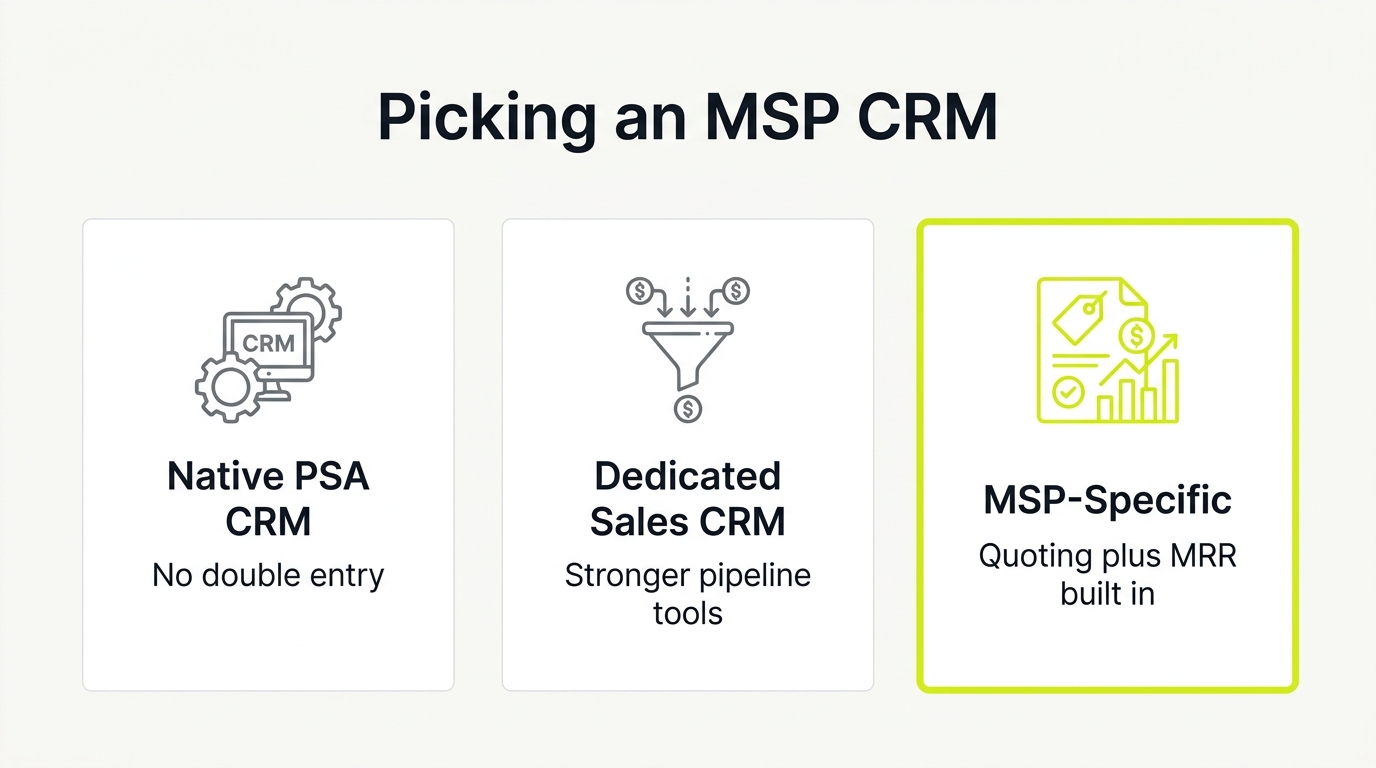
- Native PSA CRM (ConnectWise Manage, HaloPSA): best for operators who want one system for sales, tickets, billing, and projects.
- Dedicated sales CRM (HubSpot, Pipedrive): best for MSPs building inbound demand, running campaigns, and measuring multi-touch attribution.
- General-purpose CRM (Zoho CRM, Salesforce): best for operators who need flexibility and are willing to configure MRR tracking themselves.
- MSP-specific tools (Zomentum, GlassHive): best for teams that need quoting-first workflows or packaged marketing execution without hiring a full marketing team.
Read on for the full breakdown.
Key Takeaways
- Referrals do not forecast. If your sales tracking and PSA disagree, pipeline visibility breaks and you cannot defend contracted revenue to a finance partner.
- The native PSA CRM is often the right first choice: it eliminates double-entry and prevents data drift between sales and billing without an additional software subscription.
- HubSpot fits MSPs building inbound demand through content and campaigns, but the PSA integration requires strict data rules and middleware budget, not just a software seat.
- MSP-specific tools like Zomentum and GlassHive solve quoting speed and marketing execution without building a DIY stack, but have narrower integration ecosystems than generalist platforms.
- Define the CRM-to-PSA boundary before you buy: keep prospecting and qualification in the CRM, push only sales-ready records to the PSA, and use domain name as the deduplication key.
A CRM for MSPs is a sales pipeline and contact management platform configured to track monthly recurring revenue (MRR), contract terms, renewal dates, and service bundles. Giving operators a forecastable view of pipeline and a clean handoff to the PSA when a deal closes.
Here is a side-by-side view of the main MSP CRM options:
| Option | Best for | Watch-out |
|---|---|---|
| Native PSA CRM (ConnectWise / HaloPSA / Autotask) | Operators wanting one system for sales, tickets, billing, and projects with no double entry | Weaker marketing automation; CPQ depth varies by PSA |
| HubSpot | MSPs building inbound demand, running campaigns, and measuring multi-touch attribution | PSA sync creates duplicate records without strict data rules; cost scales with contacts |
| Pipedrive | Referral-heavy MSPs with 1 to 5 sellers needing clean visual pipeline | No native MSP data model or marketing automation; quoting stays separate |
| Zoho CRM | MSPs prioritising spend control who have an internal resource to own configuration | MRR and renewal tracking must be built from scratch; connector complexity adds admin time |
| Zomentum | MSPs needing quoting-first workflows: hardware sourcing, recurring services, e-signatures, and payment | Narrower CRM depth; best paired with a dedicated sales CRM for top-of-funnel |
| GlassHive | MSPs wanting packaged marketing execution tied to pipeline without hiring a full marketing team | Reporting depth and integration ecosystem narrower than generalist platforms |
1. The Native PSA CRM: Consolidating for a Single Source of Truth
You do not need a second software subscription if your primary platform already has a sales module. For many operators, the right choice is simply the PSA they already pay for.
Keeping your sales pipeline inside the system that manages tickets, projects, and billing eliminates tool sprawl. This directly solves the double-entry problem and prevents data drift between sales and finance.
Before committing, verify that your PSA can handle these essentials:
- Track MRR, renewal dates, and services attached to the deal.
- Trigger procurement, projects, and invoicing directly from quote acceptance.
Watch out for clunky interfaces. Advanced CPQ needs like multi-tiered bundles or custom approval workflows may still push you to a dedicated quoting tool. Always run a sandbox quote-to-cash test to validate the workflow before migrating.
2. HubSpot: The Growth Stack for Inbound Demand
If your pipeline depends on manual entry, your CRM is just a digital Rolodex. HubSpot is a growth stack that turns brand visibility into qualified leads.
It fits the MSP sales motion by capturing inbound demand through landing pages, forms, and email sequences while supporting multi-touch buying. It provides the clear attribution reports finance partners demand, linking lead source directly to pipeline value and payback period.
The primary risk is the PSA integration, not the interface. Syncing HubSpot to your PSA creates duplicate records and mapping issues unless you build strict data rules. To prevent mess, only push sales-ready leads into your PSA.
Budget for middleware and admin support, not just software seats. HubSpot fits MSP operators who plan to actively publish content, run campaigns, and measure acquisition costs.
3. Zomentum: The Quoting-First Sales Engine
Some operators do not need a traditional CRM first. They need a faster way to turn distributor catalogs and vendor PDFs into clean quotes. Zomentum provides an MSP-focused quoting and proposal workflow (CPQ) that reduces administrative friction and shortens your time-to-cash.
It accelerates your sales motion by combining:
- Hardware sourcing
- Recurring services
- E-signatures
- Payment collection
Zomentum fits your stack in two ways. First, you can pair it with a dedicated sales CRM like HubSpot and push won deals into your PSA. Alternatively, use it as a high-speed quoting layer when PSA quoting is functional but slow.
Before deploying, verify the PSA integration depth and the exact quote-to-project handoff. This platform is best for MSPs selling bundles, add-ons, and hardware where speed and accuracy close the deal.
4. Pipedrive: Visual Pipeline Velocity for Owner-Operators
If sales reps treat your CRM like a tax form, you have a compliance problem. Pipedrive is a sales pipeline CRM built for speed and visual usability. When your bottleneck is getting busy reps to log deals consistently, this simple tool wins.
To adapt Pipedrive for MSP pipeline tracking, configure:
- Custom fields: MRR, term length, start date, and renewal date.
- Pipeline stages: Discovery, assessment, proposal, technical validation, and close.
Pipedrive does not solve marketing automation, PSA synchronization, or native MSP data modeling. Quoting tools remain separate, and you must establish strict rules for the PSA handoff to prevent duplicate companies.
This tool is best for referral-heavy MSPs with 1 to 5 sellers who need clean forecasting over enterprise customization, bringing consistent pipeline hygiene without a heavy implementation.
5. Zoho CRM: Controlling Your Software Spend with Configuration Discipline
You do not need expensive, industry-specific sales software to build a forecastable pipeline. Zoho CRM is a highly configurable platform with a massive SMB ecosystem that fits standard sales workflows.
To model recurring revenue with Zoho, you must build it yourself. Map custom fields for MRR, contract terms, and renewal dates, then use basic automations to trigger renewal tasks and follow-ups.
You must also define the boundary with your PSA. Keep early-stage prospecting and qualification inside the CRM, then push won deals to your PSA for contract billing.
The trade-off is clear: you exchange pre-built industry opinions for flexibility. This shifts your total cost of ownership into internal admin time and connector complexity. It is best for MSPs prioritizing spend control who have an internal resource to own configuration.
6. Salesforce: Enterprise Governance for Complex Operations
If you must ask whether your MSP needs Salesforce, you probably do not. Choose this platform only when process enforcement, strict auditability, and multi-entity reporting become non-negotiable.
For larger MSPs with multiple sales teams, Salesforce delivers the precise forecasting controls, custom approvals, and field-level security that finance partners demand. It is an enterprise engine built for strict governance, but total ownership costs are high. Modeling monthly recurring revenue, renewals, and productized service bundles requires custom database design. Integrating Salesforce with your PSA is a software development project, not a simple plug-in.
The primary risk is buying a maximum platform to solve a basic lead flow bottleneck. Configuration and admin overhead will easily exceed licensing costs. This system is best for mature MSPs with a dedicated RevOps function and complex compliance requirements.
7. GlassHive: Operationalizing Campaigns Without a Marketing Team
Referral-led growth stalls when outreach becomes inconsistent. GlassHive solves this by acting as an MSP-tailored work OS for sales and marketing. The platform combines pipeline tracking with an MSP-focused marketing workspace to eliminate tool sprawl and the classic "blank page" problem.
Rather than hiring a full marketing department, a single staff member can run consistent campaigns using built-in content libraries and pre-packaged assets. This consolidation keeps your pipeline and active campaigns in one place, providing finance with clear lead attribution.
When evaluating GlassHive, decide whether it replaces your existing system or sits alongside it, and validate the handoff to your PSA. Its reporting depth and integration ecosystem are narrower than generalist platforms.
Best for: MSPs wanting packaged marketing execution tied to pipeline instead of building a complex, DIY sales stack.
8. ActiveCampaign: Automation-First Nurture for Lean Teams
ActiveCampaign now positions itself as an autonomous marketing platform: email, SMS, and WhatsApp sequences run by AI agents, with automation as the core product rather than a bolt-on. For an MSP, that makes it the strongest fit when the constraint is nurture, not pipeline tracking. A two-person sales effort can keep every prospect warm without anyone writing follow-ups by hand.
Treat it as the automation layer of your stack. If you evaluate it as your primary CRM, test the sales pipeline views against Pipedrive before committing; the platform's center of gravity is marketing automation, and its AI push (Active Intelligence, as of mid-2026) reinforces that direction.
Best for: MSPs whose bottleneck is consistent follow-up and nurture, keeping the PSA as the system of record.
How to Choose Your MSP CRM: Size, Stack, and Rollout
The right CRM is a function of team size and existing stack, not feature counts. Match the shortlist to your stage:
- Owner-led sales, no marketer: Pipedrive for visual pipeline discipline, or GlassHive if you want packaged campaigns in the same tool.
- Lean team whose bottleneck is follow-up: ActiveCampaign as the nurture layer beside your PSA.
- Growing inbound engine with a real marketing function: HubSpot, budgeted for the seats and hubs you will actually use.
- Quote-heavy channel sales: Zomentum, where proposals drive the pipeline.
- Complex, multi-entity operations: Salesforce, with admin capacity priced in.
- Consolidators: your native PSA CRM, accepting weaker marketing features in exchange for a single source of truth.
Then apply three integration tests before signing anything:
- PSA boundary: the CRM owns pre-sale pipeline only; agreements, tickets, and billing stay in the PSA. If the integration cannot enforce that boundary, duplicates will eat the hours the tool was meant to save.
- Field round trip: confirm the six deal fields from the steps below survive a sync between CRM and PSA without manual re-entry.
- Exit cost: ask what an export looks like before you import anything. Data hostage situations are a real switching cost in this category.
The implementation steps below assume you have made this call.
Step 1: Establish Your Source of Truth
Enforce one strict rule: use the CRM only for pre-sale pipeline activity, and use your PSA for agreements, billing, and delivery. Defining this boundary now prevents costly manual data cleanup later, ensuring your records remain reliable.
Step 2: Model the Deal in Six Fields
Build a minimum viable data model. Configure your opportunities to track exactly six custom fields: MRR, term length, expected start date, renewal date, service bundle, and primary vertical.
Step 3: Run the Sandbox Quote-to-Cash Test
Test your operational flow in a sandbox environment before launching. Create a mock quote, accept it, and verify that the platform triggers the correct project creation and invoicing behavior. If you use external CPQ tools, confirm this sync first.
Step 4: Set Integration Rules to Stop Duplicates
Protect your database hygiene by pushing only sales-ready companies and contacts into your PSA. Define domain and legal name as your deduplication keys, and assign a specific administrator to resolve sync conflicts.
Whichever platform you pick, your closed-won data is worth more than the pipeline view itself: it is the benchmark an AI coaching layer calibrates against. Our MSP AI advisory wires that loop, scoring every sales call against the deals that actually closed in your CRM.
Step 5: Audit Your Shortlist Visibility
Configure your system to track which specific pages, comparisons, and marketing offers generate qualified pipeline. To scale this inbound motion, read our guide on how MSPs build a pipeline beyond referrals. If you need help building this demand, consult the [best MSP marketing agencies](https://nuoptima.com/best-MSP-marketing-agencies).
To get a pipeline-attribution audit, plan an MSP CRM and pipeline buildout, and see where your CRM is leaving revenue on the table, connect with us at [nuoptima.com](https://www.nuoptima.com).