
Every redundant license taxes your gross margin. Tool sprawl creates operational drag that distracts engineers from growth.
For owner-operators rationalizing a stack, this guide maps critical MSP tools to how work flows, from alerts to billing. We also detail the growth lane, including marketing and GEO, to support your pipeline. We transition straight to integration workflows, bypassing the vendor hype.
Key Takeaways
- A lean MSP runs on six to eight core tools; each addition must eliminate a manual handoff or it should not be purchased.
- Build by stage: PSA, RMM, and documentation first (Day 1); EDR and backup next (Months 1 to 3); IAM and optional SIEM after (Months 3 to 6); CRM and quoting last (Months 6+).
- Tool sprawl is a margin leak -- when systems do not talk to each other, technicians waste billable hours on duplicate data entry.
- PSA CRMs are built for account management, not pipeline generation; add a standalone CRM only when you launch an active marketing motion.
- A SIEM without a 24/7 SOC process is wasted spend; use a SOC-as-a-service partner instead of buying complexity you cannot support.
MSP tools are the integrated software applications that allow a managed service provider to monitor, ticket, resolve, document, and bill for IT services at scale, covering the full workflow from RMM alert to PSA ticket to client invoice.
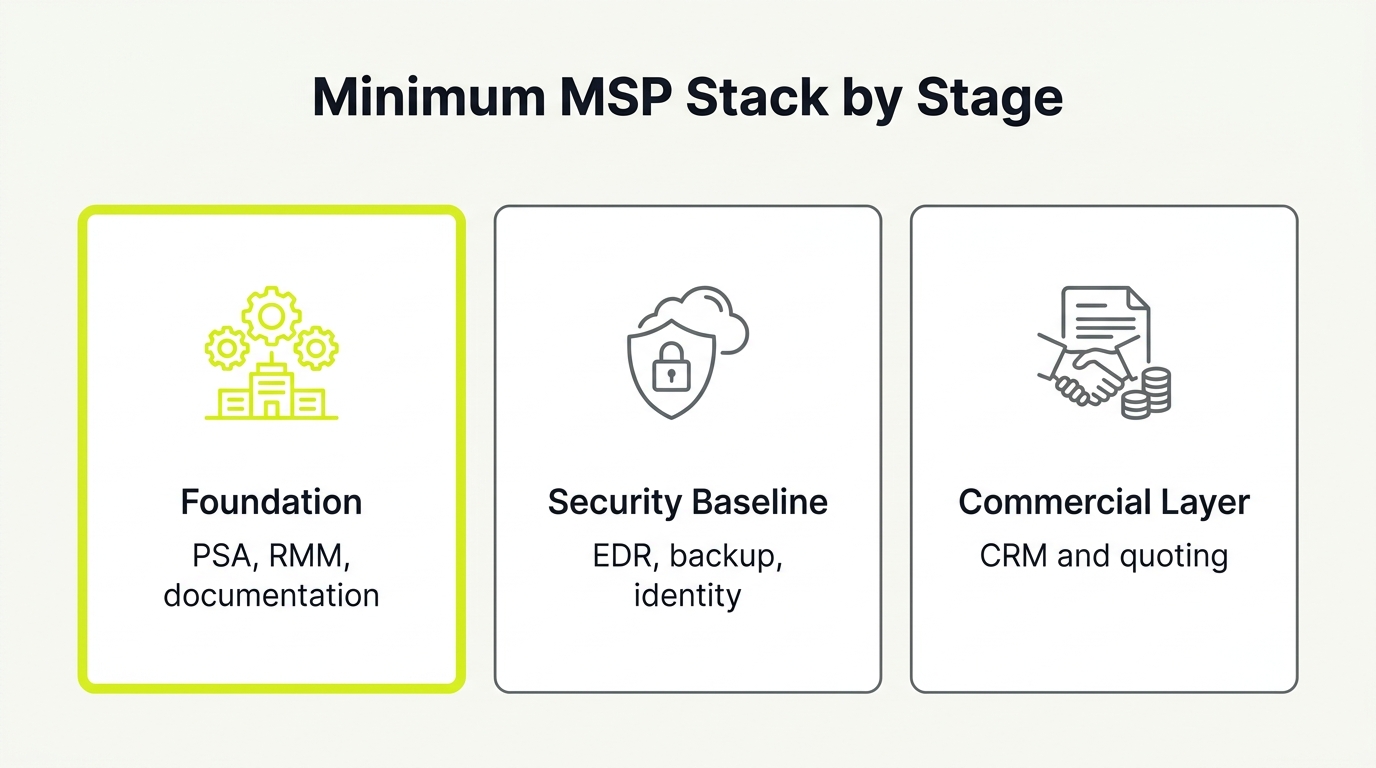
Minimum MSP Stack by Stage
Before diving into each category, here is the architecture decision most MSPs get wrong: they add tools reactively instead of by stage.
Stage 1, Foundation (Day 1): PSA/ticketing, RMM, documentation system. These three must be live and integrated before you take on your first client. Without them, every other tool multiplies your manual overhead instead of reducing it.
Stage 2, Security Baseline (Months 1 to 3): EDR/MDR and backup/BCDR. Add these as a package. Selling endpoints without endpoint protection is a liability risk, not just a revenue gap.
Stage 3, Identity and Compliance (Months 3 to 6): IAM/SSO and, only if you serve compliance-driven clients, SIEM. IAM pays for itself in password-reset ticket reduction. SIEM adds cost and complexity. Only add it when a client contract requires it.
Stage 4, Commercial Stack (Months 6+): Dedicated CRM, quoting tool, and reporting/QBR layer. PSA CRMs are built for account management, not pipeline generation. Add a standalone CRM when you launch an active marketing motion.
The guiding rule: each new tool must eliminate a manual handoff or it should not be purchased.
The table below maps the minimum stack by layer.
| Layer | Why it's core | Example categories |
|---|---|---|
| Foundation | Converts alerts to tickets to invoices without manual handoff | PSA (ticketing, billing, contracts), RMM (monitoring, patching, scripting) |
| Security baseline | Selling endpoints without protection is a liability risk | EDR/MDR, backup/BCDR |
| Documentation | Tribal knowledge is a margin tax; runbooks push fixes to Tier 1 | IT Glue, Hudu |
| Commercial | PSA CRMs lack pipeline stages and nurture sequences for growth | Standalone CRM, quoting tool |
1. The Integration Layer: Standardizing Your Core Workflow
Tool sprawl is a margin leak. When your systems do not talk to each other, technicians waste billable hours on duplicate data entry. The integration layer is the connective tissue that translates technical events into financial records, moving alerts to tickets, time tracking, and invoices.
To stop the leak, standardize one canonical flow: RMM alert to PSA ticket, to tech time, to client invoice. Maintain exactly one source of truth for client configuration data.
When evaluating your integration layer, demand these native capabilities:
- Ticket creation and status sync
- Contact synchronization and SSO
- Auto-triage, routing, and SLA timers
Integration failures create hidden labor costs. Before buying new software, require sandbox testing and define how you will monitor sync failures. Your immediate next step is to map your current workflow on a single page.
2. RMM: Treating Remote Monitoring as Your Automation Engine
Treating Remote Monitoring and Management (RMM) as a simple checklist leads to alert chaos and patching gaps that erode your gross margin. Your RMM is your core automation engine, delivering:
- Proactive monitoring and remote support
- Patch management reliability and reporting
- Repeatable scripting across all client sites
- Alert noise control and policy management
When choosing your RMM, prioritize technician UX and bi-directional PSA integration to keep asset data synced and automate ticket workflows.
Understand the commercial reality before signing. Audit the pricing structure (per endpoint versus per technician), minimum commits, and term lengths.
Owner note: Standardize a single baseline RMM policy set across your client base to eliminate exceptions and preserve technician capacity.
3. PSA: Operating Your Business on a Financial Control Plane
A Professional Services Automation (PSA) tool acts as your financial control plane, managing ticketing, SLA tracking, time entry, contracts, and invoicing to prevent revenue leakage.
When evaluating your PSA, prioritize operational adoption and margin protection:
- Workflows that enforce SLA rules.
- Time capture that prevents billable leakage.
- Contract accuracy to automate recurring billing.
- Standardized templates for client onboarding.
Your integration checkpoints must cover bi-directional RMM ticket sync, accounting exports, documentation links, and quoting.
The commercial reality of a PSA is the high implementation cost. The real risk is buying a platform your engineering team refuses to adopt.
Define three standard ticket types and two SLA tiers before booking demos. Test this setup in a sandbox to evaluate reality, not vendor slides.
4. Documentation Systems: Turning Tribal Knowledge into Scalable Valuation
Tribal knowledge is a quiet tax on your gross margin and exit valuation. Every time a senior engineer is interrupted to explain a local admin password or backup routine, your delivery costs spike and client service slows down.
To scale, your documentation system must centralize critical assets:
- Runbooks, network diagrams, and knowledge bases
- Passwords and client standards
- Client profiles covering users, sites, vendors, assets, access, and exceptions
Integrate this repository with your PSA for instant ticket linking and your RMM to capture live asset data. Access control and immutable logging are mandatory if you want to sell real security outcomes.
As an immediate next step, identify your top 10 recurring incidents. Write step-by-step runbooks that push those resolutions down to tier-one staff, reducing escalations and onboarding times immediately.
5. Backup and Disaster Recovery (BCDR): Proving Resilience to the Boardroom
BCDR platforms cover endpoint, server, and SaaS backups, alongside restore and disaster recovery workflows. It prevents the most expensive failure mode: backups that exist but fail to restore under pressure.
Evaluate these features:
- Restore verification: Boot screenshots, validation logs, and recovery speed.
- Tiered commitments: Real-world RPO and RTO metrics matched to client pricing tiers.
- Resilience: True immutability to withstand ransomware.
Integrate these systems with your PSA to automate ticketing for failed jobs, document restore steps, and sync recovery metrics to QBR reports. Watch for hidden egress fees and retention pricing that alter your unit economics.
Next step: Schedule automated monthly restore tests and report pass rates to clients.
6. Identity and Access Management (IAM): Securing the Perimeter and Simplifying Operations
Identity and access management (IAM) is your most direct tool for preventing security incidents, reducing password-reset tickets, and securing client perimeters. In an MSP context, this means controlling directories, single sign-on (SSO), multi-factor authentication (MFA), and user lifecycles.
Evaluate these IAM capabilities:
- MFA enforcement and conditional access policies.
- Identity lifecycle workflows for joiners, movers, and leavers.
- Admin access and least-privilege controls.
Integrate your IAM tooling with PSA contact data, documentation, and quarterly business review (QBR) reporting.
Custom client policies create security sprawl that spikes support costs and erodes margin. Standardize a single, baseline security policy set across your entire portfolio.
Next step: Define a default conditional access template for your ideal client profile to deploy during onboarding, solving the operational cost of inconsistent access control.
7. Managed Detection and Response (MDR): Defining the Line Between MSP and MSSP Capabilities
The modern security stack spans antivirus, EDR, XDR, and MDR. This is not just another passive agent; it is active operational defense. Selling 24/7 security without a 24/7 response process creates massive liability. Never promise round-the-clock protection unless you have the staff or SOC partner to back it up.
Draw a sharp line between baseline IT and MSSP-grade capability:
- MSP baseline: Threat prevention and local visibility.
- MSSP expectation: Continuous detection, triage, containment, and compliance reporting.
When evaluating MDR options, verify detection quality, false-positive control, and response workflows. Confirm who responds, how fast they act, and what reporting you can show a client's CFO. Ensure integration checkpoints route high-priority alerts to your PSA, link to runbooks, and feed QBR reports.
8. SIEM and Compliance Tooling: Deciding Between In-House Complexity and Co-Managed Partnerships
Buying a SIEM without a 24/7 Security Operations Center (SOC) to monitor it creates an expensive, noisy alarm system your team will eventually mute. These specialized platforms centralize logs, correlate threats, scan asset exposure, and generate compliance evidence.
You only need this overhead if you serve compliance-driven clients, operate in high-risk verticals, or face buyers demanding proof over promises. When evaluating, verify which log sources you can realistically ingest. Ensure the tool maps reports to standard controls and turns alerts into actionable PSA tickets and incident runbooks.
The commercial reality is simple. A SIEM without a SOC process is wasted spend. Stage your security migration and protect margins by partnering with a SOC-as-a-service provider instead of buying complexity you cannot support.
9. Reporting and QBR Tools: Turning Raw Data into Retention and Upgrades
Clients do not read 40-page uptime dashboards. Reporting and QBR tools must translate technical performance into defensible outcomes that justify your retainer to a client's CFO, transforming reporting into a retention and upsell mechanism.
A lean reporting layer requires:
- SLA and ticket trends that prove daily service value.
- Security and backup proof points, including coverage and incident tests.
- Roadmap items mapped directly to client business risk.
To automate this, your reporting layer must pull data from your PSA, RMM, security stack, and documentation. Reporting disconnected from decision-making is busywork that fails to drive account expansion.
Next Step: Build a one-page QBR template today that links technical metrics directly to a strategic upgrade conversation.
10. The Commercial Stack: Tracking Shortlist Visibility and Pipeline Growth
The discipline you bring to managed IT rarely exists in your marketing. You built a flawless delivery stack, but without dedicated commercial MSP tools, your pipeline remains empty.
To break referral dependence, your minimal viable growth stack requires:
- Pipeline CRM: A standalone system separate from your PSA.
- Quoting Tool: A margin-protecting proposal workflow.
- Marketing Automation: Systems to distribute proof assets and call tracking.
- GEO Tracking: Tools to measure AI shortlist visibility.
Integrate these systems to secure clean lead-to-opportunity flow, marketing attribution, and sales enablement.
Ready to rationalize your stack? NUOPTIMA offers a complimentary MSP stack review. We map your current tools against this framework and flag the integrations and contracts most likely to compress your gross margin. Reach out at nuoptima.com.
MSP Tool Categories and Well-Known Examples to Evaluate
Naming tools is the easy part. Deciding which category actually earns a slot in your stack is the discipline. Use this list to see the platforms MSPs most often shortlist in each category, then run each candidate through the stage-by-stage framework and integration tests above. The categories below map to the same five layers a 2026 Google AI Overview groups this query into, so treat them as buckets to fill, not a shopping list to buy in full.
- RMM (remote monitoring and management): Monitors and patches client endpoints from one console. Common names include NinjaOne, Datto RMM, ConnectWise Automate, N-able, Atera, and Level.io. Evaluate these against the RMM criteria in our RMM for MSP checklist.
- PSA and ticketing: Runs tickets, SLAs, time entry, and billing. Common names include ConnectWise PSA, HaloPSA, Autotask, Syncro, and SuperOps. Compare them with our guide to choosing an MSP ticketing system.
- Documentation: Centralizes runbooks, passwords, and client standards so knowledge is not trapped in one engineer's head. Common names include IT Glue and Hudu. Score candidates on the documentation criteria in section 4.
- Backup and disaster recovery (BCDR): Protects and restores endpoint, server, and SaaS data. Common names include Veeam, Datto, and Acronis. Weigh them against the restore-verification points in section 5.
- Endpoint security and MDR: Prevents, detects, and responds to threats on managed devices. Common names include Huntress, ThreatLocker, SentinelOne, and Webroot. Judge these against the detection and response line drawn in section 7.
Do not buy one platform per category by default. A lean stack fills each bucket only when the tool removes a manual handoff, which is why some MSPs run a single all-in-one platform across two or three buckets. Match the category to your stage first, then let the framework above decide which named option, if any, belongs in your stack.
How to Implement a Lean MSP Stack: A 12-Week Operational Roadmap
The fastest way to lose margin is to keep adding software without deleting manual workflows. This operating plan converts software integration into gross-profit retention.
Week 1: Map Your Ticket-to-Cash Flow
Draw your workflow in a single diagram. Track alerts, tickets, time, and billing. List every manual handoff. This reveals where your billable hours leak.
Weeks 2 to 3: Define Your Core and Security Tiers
Establish a standardized baseline stack for all clients. Separate high-margin security upgrades into a strict tier. This eliminates custom exceptions and controls tool sprawl.
Weeks 3 to 6: Pilot and Track Success Metrics
Deploy stack changes to 10 to 50 endpoints or one friendly client. Track these metrics to prove viability:
- Ticket noise reduction
- Time capture rate
- Restore test pass rate
Weeks 6 to 10: Standardize Contract Discipline
Perform vendor risk checks before signing. Enforce strict term lengths, exit rights, price protection, and data portability to protect your operational margins.
Weeks 10 to 12: Verify Your Stack Is Complete
Run your ticket-to-cash workflow end-to-end with real data. Confirm every integration fires cleanly, every report pulls accurate metrics, and your documentation covers your top 20 recurring incidents.