
MSP documentation is the difference between a business you can scale and one you can only babysit. You cannot automate what you have not documented, yet many MSP owners buy expensive AI tools in 2026 only to scale chaos rather than build enterprise value.
Real operational scale requires structured MSP documentation to act as your source of truth. This architecture ensures faster onboarding, fewer escalations, cleaner handoffs, and an AI-ready knowledge base.
Here are 6 practical MSP documentation templates and a 90-day rollout plan, starting with the minimum architecture so every asset has a home.
Key Takeaways
- Documentation failure is a behavior problem, not a software problem -- the right platform means nothing if engineers close tickets without linking updated docs.
- A minimum viable documentation set (onboarding pack, offboarding pack, change runbooks, top maintenance SOPs, and critical systems map) must exist before any automation attempt.
- The schema layer (folder taxonomy, naming convention, required metadata block) must be locked before writing a single SOP -- structure determines whether AI and engineers can retrieve and trust the content.
- Offboarding SOPs protect enterprise value: documented credential handovers and export checklists reduce M&A due diligence risk and prevent post-exit liability.
- AI can draft KB articles from resolved tickets, but only if technicians supply structured, human-reviewed inputs -- ungoverned AI write-back to production documentation is a risk, not a shortcut.
MSP documentation is the structured, version-controlled knowledge base that captures client environments, internal SOPs, and change records so that any engineer can operate, escalate, or hand off work without relying on tribal knowledge.
1. The Schema Layer: Standardize Your MSP Documentation Folders and Metadata
Fragmented documents that engineers cannot find or trust will stall your team and block AI initiatives. Before writing another page, establish the underlying schema layer. This structural framework standardizes where files live, how they are named, and how they are classified.
Locking the schema layer before writing any SOP is the highest-leverage week you will spend on documentation -- without it, every new page adds to the retrieval problem rather than solving it.
Organize your knowledge base using this structured hierarchy:
- Client Space: Overview, Contacts, Locations, Network, Identity/M365, Endpoints, Backups/DR, Vendors, Runbooks, Exceptions.
- Internal Space: Service Desk SOPs, NOC/SOC SOPs, Onboarding/Offboarding, Change Management, Sales enablement, Security policies.
- Required Metadata Block: Owner, Last reviewed, Next review date, Applies to, Source of truth, Related tickets, Automation hooks.
To implement this in one week, select one central KB platform, enforce a strict naming convention, set a recurring review cadence, and permanently ban "misc notes" as a category. This precise metadata ensures both human engineers and AI search tools can retrieve and cite your documentation library instantly.
2. The Client Onboarding SOP Template: Prevent First-Outage Blindspots
Hunting for missing firewall passwords or ISP details during a first outage is preventable. This friction happens when onboarding is treated as optional admin work rather than a structured data-capture event.
Onboarding is your highest-leverage moment to secure accurate data.
Onboarding documentation quality directly determines your first-outage response time -- the firewall password found in seconds versus the 3am vendor call are separated by this single checklist. Use this onboarding SOP template to make onboarding documentation a non-negotiable technical deliverable:
- Intake: Business contacts, escalation paths, hours, locations, and compliance needs.
- Technical Intake: ISPs, firewall details, subnets, Wi-Fi, backups, and M365 basics.
- Access: Admin credentials, MFA methods, break-glass procedures, and vault location.
- Definition of Done: Minimum document set created, linked to CRM, and peer-reviewed.
Use secure onboarding forms to import data directly. Timebox the first pass to "usable, not perfect." This clean foundation prevents onboarding drag, reduces early ticket escalations, and serves as structured inputs for automated scripts, monitoring baselines, and AI triage.
3. The Client Offboarding SOP Template: Protect Your MSP from Post-Exit Liability
Chaotic client exits create severe legal, security, and reputational risks. If handovers rely on feelings rather than hard evidence, your business faces disputed credential ownership and post-exit breaches. Structuring this transition in your offboarding records eliminates vulnerability, saving senior engineer hours and limiting credential leakage.
Documented offboarding SOPs protect your valuation multiple by reducing the credential and liability risks that kill MSP acquisition deals during due diligence.
Implement this standard offboarding SOP template:
- Authorization: Require written client authorization, a named recipient, and a strict time window.
- Access Control: Rotate global admin credentials, transfer break-glass accounts, and confirm MFA ownership.
- Asset Export: Deliver network diagrams, firewall configs, IP plans, vendor lists, backup summaries, and license inventories.
- Evidence Log: Record what was provided, to whom, when, and via which secure channel.
Boardroom Note: Documented offboarding SOPs protect your multiple by reducing the downside risks that kill deals during M&A due diligence. A standardized export list also makes automated handover packs feasible.
4. The Change Runbook Template: Prevent Outages from Blind Deployments
Change velocity turns into outage frequency when automation meets undocumented changes. Untracked adjustments, vague approvals, and rollback chaos during updates are preventable operational risks. Without a change runbook, you scale errors instead of enterprise value.
Use this change runbook template to make transitions auditable and repeatable:
- Change Header: Objective, scope, risk level, affected users, and maintenance window.
- Preconditions: Backups verified, access confirmed, and dependencies checked.
- Execution Steps: Numbered actions with expected outputs and validation log locations.
- Rollback Plan: Triggers, step-by-step reversal actions, and decision owner.
- Communication: Client notice, internal handoff notes, and post-change summary.
To measure operational maturity, track the percentage of major client incidents tied to undocumented changes. Once steps are stable, you can script parts of the execution. This process keeps approvals intact while securing your change runbook library as a reliable system of record.
5. The Recurring Maintenance Checklist Template: Standardize Margin and Rework Risks
When technicians run recurring maintenance from memory, service quality fluctuates. Techs skip steps, account managers struggle to prove contract value, and avoidable escalations eat into service margins. Structured documentation solves this by turning recurring tasks into strict checklists with objective pass-fail outputs.
Apply this copy-paste maintenance SOP template to standardize your service lines:
- Patching: Scope, exclusions, maintenance windows, verification method, and reporting artifact.
- Backup/DR checks: Backup job status, restore test cadence, and evidence storage location.
- Security hygiene: MFA checks, privileged accounts review, and conditional access policies.
- "If fail" playbook: Escalation criteria and predefined client communication templates.
To make this measurable, define an explicit evidence artifact for every run (such as a report link, screenshot, or exported JSON/HTML). These structured checklists are also prime candidates for automation scripts and scheduled exports. Standardizing these processes creates repeatable delivery and proof of work, reducing the time senior staff spend validating basic tasks.
What to Document: The Network Documentation Every Client Needs
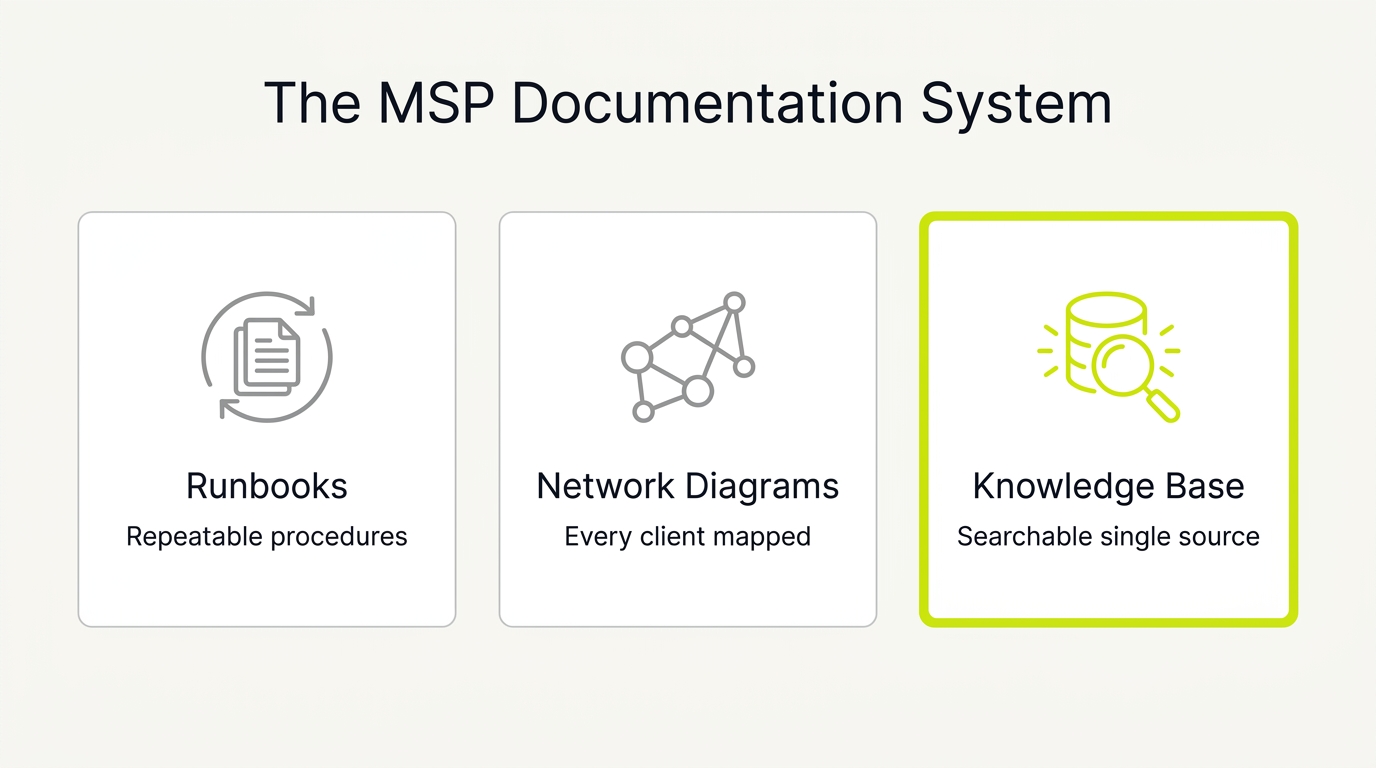
When an engineer walks into a client incident blind, it is almost always the network documentation that is missing. Asset lists and passwords get captured because tools like IT Glue and Hudu prompt for them, but the connective tissue (how the network actually fits together) is the part that lives in one senior engineer's head until they leave. Document it once, per client, and keep it current.
A complete client network record should capture the following:
- Network topology diagram: a current logical map of sites, firewalls, switches, VLANs, and the links between them. Date it and note who verified it, because a diagram no one trusts is worse than none.
- IP address scheme: subnets, VLAN assignments, DHCP scopes, reservations, and static allocations for servers and infrastructure.
- WAN and ISP details: circuit types, provider account numbers, support lines, static IP blocks, and failover configuration.
- Firewall and edge config: rule intent (not just an export), VPN tunnels, port forwards, and the reason each exception exists.
- Core services: DNS, DHCP, Active Directory or Entra ID, and where each authoritative role lives.
- Wireless: SSIDs, controller location, authentication method, and guest network isolation.
Store the diagram and these records in the client's Network space in your schema, link them to the relevant runbooks, and set a review date. The test is simple: a competent engineer who has never seen the account should be able to troubleshoot a site outage from the documentation alone. If they cannot, the record is incomplete.
6. The Enforceable Documentation Policy: Solve the Behavior Problem Behind Missing Knowledge
Your documentation failure is not a software problem. It is a behavior problem. Technicians resolve issues but rarely capture the method, leaving your business founder-dependent and escalation-heavy.
To scale, you need an enforceable policy template:
- The Rule: No ticket is “done” without a linked documentation update when reality changes.
- The Standard: Every SOP must have an owner and a last reviewed date.
- The Review Loop: Run a weekly 15-minute doc triage and a monthly random audit.
Track three critical metrics to measure compliance: tickets closed with a linked doc, average search times, and escalation rates tied to missing docs.
Drive adoption through peer reviews, lightweight checklists, and rewarding the behavior you want. This clean data layer enables automation. AI can draft KB articles from tickets, but only if technicians supply structured, human-reviewed inputs first.
How to Build an MSP Documentation Operating System: A 90-Day Implementation Plan
Templates do not matter unless your team adopts them, reviews them, and connects them to automation inputs. Use this 90-day plan to turn your MSP documentation into an active operating system that reduces manual engineering hours and protects your operational margins.
Step 1 (Days 1 to 7): Lock the Schema and Source of Truth
Select one knowledge base system as your source of truth. Lock down a unified taxonomy and require metadata blocks for every entry. Your engineers must know exactly where to store new assets by day seven.
Step 2 (Days 8 to 21): Document High-Frequency Tickets
Pull service desk reports and isolate the top ticket categories. Write SOPs only for this high-frequency, repeatable work. Avoid documenting rare technical exceptions that waste engineering time.
Step 3 (Days 22 to 35): Enforce Compliance
Enforce a strict closure rule in your ticketing system. If a ticket changes a client environment, require a documentation link before closing the ticket. Use peer reviews to guarantee accuracy.
Step 4 (Days 36 to 60): Automate Safe Data Capture
Automate documentation capture where it is safe. Start with read-only exports like scheduled M365 tenant snapshots saved as Markdown or HTML. Use modern Graph API surfaces and apply least-privilege permissions to secure client environments.
Step 5 (Days 61 to 90): Add Controlled AI
Add AI in a controlled way. Draft knowledge base articles from resolved ticket notes, then route them to humans for review. Require citation-ready fields: date, owner, scope, and linked configuration evidence.
The Operational Scorecard
Track execution weekly with a scorecard monitoring documentation adoption, engineer search times, and escalations.
To connect your technical standards to predictable pipeline growth, book a documentation-to-automation review with NUOPTIMA at nuoptima.com to see how high operational standards translate into enterprise value and a higher multiple.