Every poorly scoped project steals the engineer hours that keep your recurring agreements profitable. For owner-operators running both delivery motions, project discipline is a margin protection system, not bureaucracy. You need a practical MSP project management system to scope, schedule, deliver, and close projects without blowing capacity. Note: this article covers Managed Service Provider client IT project delivery (migrations, rollouts, onboardings), not PRINCE2 'Managing Successful Programmes'.
Here is how to establish the first discipline.
Key Takeaways
- Agreement work maintains the current state; a project is a time-bound change with a specific deliverable. Any request to add, migrate, or change infrastructure exceeding four hours requires an approved quote.
- Treat discovery as paid insurance: selling a short discovery phase protects fixed-fee gross margin by eliminating unknowns before you price a deployment.
- A lightweight SOW with explicit out-of-scope exclusions and a change control process is the primary margin protection tool for every MSP project.
- Block project work into half-day or full-day time slots. Context switching between support tickets and project tasks is a hidden labor tax that destroys delivery margins.
- Track estimated vs. actual hours, effective hourly rate, and gross margin per project; without these three metrics, delivery quietly consumes the capacity needed to keep recurring agreements profitable.
MSP project management is the discipline of scoping, scheduling, and delivering time-bound client IT changes (migrations, rollouts, onboardings) as billable engagements, separated from recurring agreement support, to protect engineering capacity and gross margin.
MSP Project Management vs Managing Successful Programmes (PRINCE2)
The term "MSP project management" means two different things, and searchers land here looking for both. Get the distinction clear before you read the rest of this playbook, because the operating advice below only applies to one of them.
- MSP as Managed Service Provider: this is the subject of this guide. It covers how an IT services firm scopes, schedules, and delivers time-bound client changes (migrations, Microsoft 365 rollouts, firewall deployments, onboardings) as billable projects that sit alongside recurring support. The discipline here is commercial and operational: protect engineering capacity and gross margin while keeping delivery predictable.
- MSP as Managing Successful Programmes: this is a programme-management method in the PRINCE2 family, run by bodies like PeopleCert and AXELOS. It is a certification and governance framework for coordinating large programmes of related projects, and it has nothing to do with running an IT services business day to day.
If you searched for the certification, the framework side is not what this page teaches. Everything from here on is about running a Managed Service Provider's project delivery so it makes money instead of quietly eating your recurring margin.
1. Draw a Hard Line Between Support Tickets and Billable Projects
If your technicians cannot distinguish project work from agreement scope, margins leak silently. Technicians often run "small project" tasks inside support tickets because boundaries are unclear, giving away billable engineering hours.
To stop this leak, define boundaries explicitly. Agreement work operates and supports the current state. A project is a time-bound change with a specific deliverable.
Establish clear triggers:
- Project Triggers: New site setups, migrations, hardware refreshes, or security rollouts.
- Quote Triggers: Requests exceeding four hours, involving third-party dependencies, or introducing risk.
Enforce this without heavy bureaucracy. Appoint one person who can authorize free out-of-scope work. Review PSA tickets weekly to flag support tasks exceeding your four-hour threshold.
Paste this policy into your team handbook:
```text
1. Support agreements cover maintaining the existing environment only.
2. Any request to add, migrate, or change infrastructure is a project.
3. Work exceeding 4 hours requires an approved quote before execution.
```
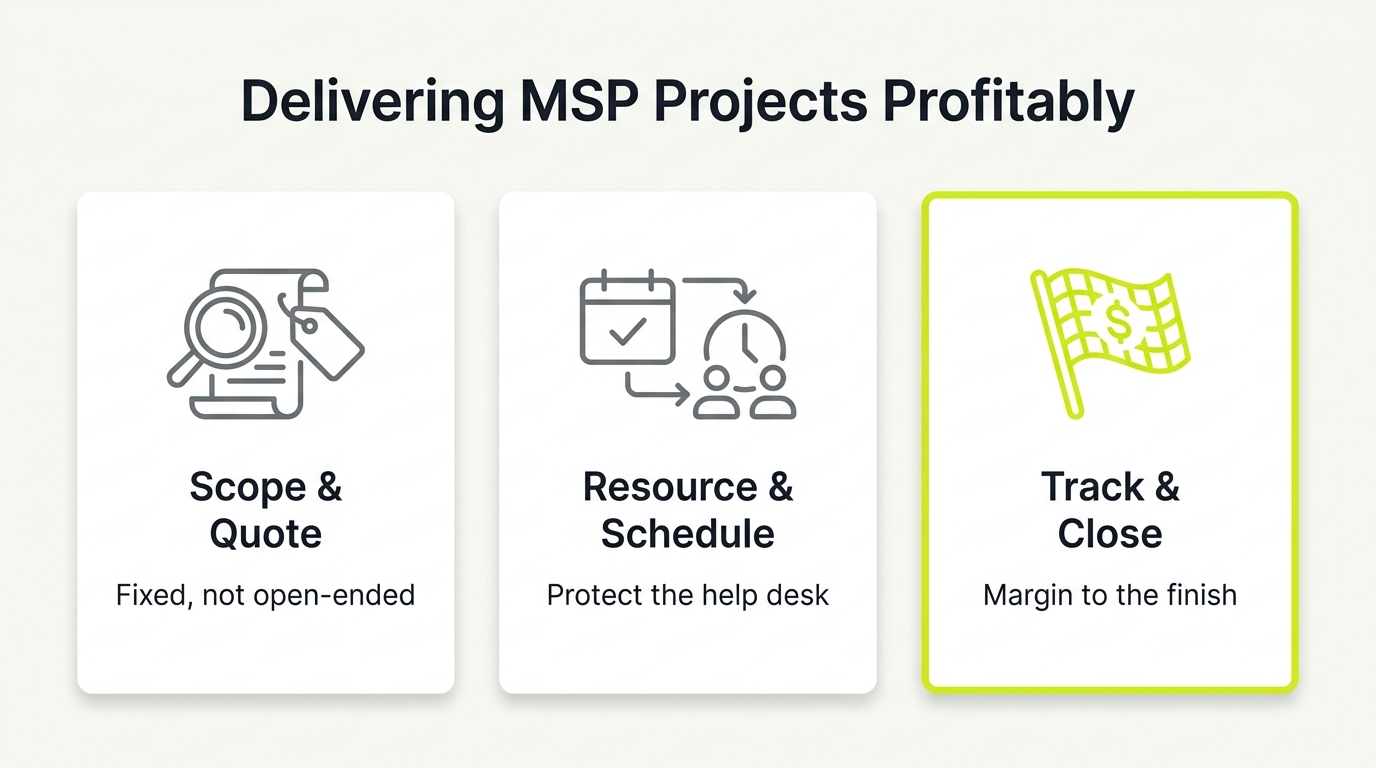
2. Treat Discovery as Paid Insurance Against Scope Creep
Fixed-fee projects fail when you price unknowns as if they are knowns. Guessing a complex deployment scope instantly destroys project profitability. Solve this by treating discovery as a paid insurance policy that protects both parties.
Establish a strict, tool-agnostic intake gate. Any project involving third-party vendors, downtime risks, or dependencies triggers mandatory discovery. Sell this easily by framing it as risk reduction: "We do a short discovery so the implementation price is real and the timeline is credible."
During discovery, capture:
- Stakeholders, constraints, and acceptance criteria
- Current-state notes, risks, and assumptions
- Target design, timeline, and scope boundaries
- Cutover and rollback plans
This output becomes the direct skeleton of your SOW and MSP project management plan. It eliminates the surprises that blow delivery timelines and protects your fixed-fee gross margin.
3. Standardize a Lightweight Statement of Work as a Margin Gate
In managed service delivery, you lose margin when a client hears "make it work" but your team only priced 12 specific tasks. The gap between vague expectations and your execution plan is where project profitability dies.
Use this reusable SOW template outline to protect your delivery margins:
- Success Criteria: Clear definition of what "done" means.
- In-Scope Deliverables: Specific nouns and numbers (e.g., configure three VLANs).
- Out-of-Scope: Explicitly listed exclusions.
- Prerequisites: Client duties like third-party vendor access.
- Sign-off: Formal criteria for project acceptance.
Any work outside these boundaries triggers a simple change control process. The client requests the change, you price it via a T&M rate card or fixed-fee add-on, and both parties must approve before engineering begins. This prevents scope creep and ensures you bill changes instead of absorbing them.
4. Run a Two-Role Communication System to Protect Engineering Focus
Most project delays are communication delays, not technical failures. When status calls drag engineers away from active builds, delivery dates slip.
Lean MSP project management does not require a full PMO. Protect engineering throughput by separating communication from execution using this reusable three-role RACI matrix:
- Communication Owner: Manages scheduling, client updates, and decisions.
- Technical Lead: Owns the technical execution plan.
- Escalator: Resolves blockers and out-of-scope disputes.
Limit client updates to a weekly 15-minute call, or twice weekly during risky cutovers.
For a lean stack that keeps overhead low without sacrificing visibility, see lean MSP tools stack.
Centralize decisions in a single shared log. The communication owner should report only three things:
- Progress against milestones
- Active project risks
- Pending decisions
| Deliverable | Comm Owner | Tech Lead | Escalator |
|---|---|---|---|
| Client Updates | Accountable | Consulted | Informed |
| Tech Delivery | Informed | Accountable | Informed |
| Blocker Resolution | Consulted | Consulted | Accountable |
5. Eliminate Context Switching with Dedicated Project Blocks
Asking engineers to handle support tickets between project tasks kills margins. One-hour slices never hit milestones. Context switching is a hidden tax; blocking time is how you deliver projects faster with your existing headcount.
Implement these scheduling rules:
- Block Time: Project work happens in half-day or full-day blocks.
- Cap Projects: Limit engineers to one or two concurrent projects.
- Protect Bottlenecks: Shield the critical-path engineer from support escalations.
Apply the Road Runner concept: if a project stalls, pause the engineer rather than assigning reactive work. Splitting focus breaks momentum. Pre-book blocks two to four weeks out, and define what constitutes an emergency.
Use this weekly template to separate support from project delivery:
| Role | Monday, Thursday | Friday |
|---|---|---|
| Project Lead | AM & PM: Project Blocks | AM: Project / PM: Buffer |
| Support Lead | AM & PM: Support Queue | AM & PM: Support Queue |
6. Standardize Your Delivery Phases to Compound Execution Speed
Every time you repeat a project type, your delivery must get faster, not different. If your technicians treat Microsoft 365 migrations, client onboardings, firewall rollouts, or network refreshes as bespoke events, profitability leaks. Standardizing workflows eliminates reinvention, making estimating and staffing highly predictable.
Store templates as versioned documents and task checklists in your documentation system.
For ready-made templates you can drop straight into your PSA, see our MSP documentation templates library.
Run every client project through these five canonical phases:
- 1. Discovery and Assessment: Input: Intake request | Output: Discovery document | Owner: Technical Lead
- 2. Design and SOW: Input: Discovery document | Output: Approved SOW | Owner: Technical Lead
- 3. Implementation and Deploy: Input: Approved SOW | Output: Completed deployment | Owner: Technical Lead
- 4. Testing and Acceptance: Input: Completed deployment | Output: Client sign-off | Owner: Project Manager
- 5. Handoff, Documentation, and Close: Input: Client sign-off | Output: Updated documentation and closed ticket | Owner: Project Manager
7. Track Project Margin to Treat Delivery as a Profit Center
Many MSPs celebrate a completed deployment only to realize they lost money on the labor. If your project delivery simply consumes engineering capacity without generating profit, you are scaling a leaky bucket. Effective project tracking treats delivery as a margin product.
Track three baseline metrics to find where projects silently destroy capacity:
- Estimated vs. Actual Hours: Exposes scoping errors.
- Effective Hourly Rate (EHR): Total revenue divided by actual hours.
- Gross Margin: Revenue minus engineering labor costs.
De-risk your cash flow by matching billing models to scope clarity.
If you are still calibrating your project rates, review how to price MSP services before finalising your T&M card.
Use Time and Materials (T&M) for discovery, fixed fees only for repeatable deployments, and change orders for out-of-scope work. Secure cash flow with structured terms: a 50% deposit, 40% milestone payments, and a 10% final acceptance fee.
Audit every delivery with this scorecard:
```text
Project Margin Scorecard
- Revenue: $[Amount]
- Est. vs. Actual Hours: [Hours]/[Hours]
- Effective Hourly Rate: $[EHR]
- Gross Margin: [Margin]%
```
What Your MSP Project Management Workflow Actually Needs
You do not need the tool with the longest feature list. You need a workflow that enforces the boundaries the rest of this playbook sets. Whether you run project work inside your PSA (ConnectWise, Autotask, HaloPSA) or in a standalone planner (ClickUp, Asana, Monday), judge it against what your delivery motion requires, not against a spec sheet.
- A hard support-vs-project boundary: project work has to be visible and tracked separately from agreement tickets, so give-away hours surface in a weekly review instead of hiding inside the helpdesk queue.
- Time capture against a quote: every project needs estimated versus actual hours in one place, because that single comparison is what turns delivery from a guess into a margin product.
- Scope and change control: the workflow must let you attach a SOW, log out-of-scope requests, and route change orders without a side conversation in email that no one can find later.
- Templated phases: repeatable project types (M365 migrations, onboardings, firewall rollouts) should load as a checklist so the tenth one runs faster than the first.
- Capacity visibility: you need to see who is booked and when, so project blocks do not collide with the support rota and quietly blow your utilization.
- One documentation trail at handoff: closeout notes, credentials, and diagrams have to land somewhere support can find them, which is why the tool should connect to your documentation system.
The PSA-native route wins when you want time, tickets, and billing in one system. A standalone planner wins when your team lives in a lighter interface and you can discipline the sync back to the PSA. Either works. What fails is picking on features you will never configure.
8. Lock Down the Closeout Phase to Stop Support Ticket Bleed
A project is not finished when the migration utility hits 100 percent. If your support desk inherits undocumented chaos, the resulting reactive tickets quickly erase project profits and inflate recurring agreement costs.
Protect your margins by enforcing a non-negotiable closeout checklist:
A tight closeout feeds directly into your client onboarding and handoff records. See the MSP onboarding checklist for the full transfer template.
- Updated Documentation: Network diagrams, IP schemes, and credentials.
- Support Handoff: Notes on common post-install issues and escalation paths.
- Client Walkthrough: Basic training to prevent user-error tickets.
- Sign-Off: Formal written client acceptance.
Next, conduct a 30-minute internal retrospective. Document what caused delays, what should become a template step, and what to exclude from future quotes.
Predictable project delivery frees engineering capacity, giving your leadership team the breathing room to execute on growth. Once your delivery is under control, book a free project delivery audit with our team at nuoptima.com to see where your margins are leaking.