Crawl budget is not a mysterious lever. It is a strict allocation problem where capacity meets demand. When search bots waste cycles on low-value URLs, your revenue pages stall. This crawl budget optimization guide provides 9 practical strategies to increase crawl capacity and direct demand toward pages that drive pipeline. By aligning technical architecture with AI-search readiness, you ensure high-value entities are indexed faster, an operational method outlined extensively in our managed IT services SEO guide blueprint. We begin with measurement because you cannot optimize what you cannot see.
Key Takeaways
- Crawl budget is an allocation problem: when search bots waste cycles on low-value URLs, revenue pages stall in indexing.
- Start with measurement; audit 60 to 90 days of server logs to find waste signatures like faceted parameters, redirect chains, and 4xx or 5xx errors.
- Build a four-tier URL priority map so money pages stay indexable and heavily linked while pure-waste URLs are blocked or removed.
- Crawl capacity (set by server health and speed) and crawl demand (set by popularity and internal linking) are different levers requiring different fixes.
- robots.txt is the only directive that proactively saves crawl budget by blocking fetches; noindex and canonical tags still require the bot to crawl the page.
Crawl budget is the limited number of URLs a search engine will crawl on a site in a given period, set by crawl capacity (server health and speed) and crawl demand (perceived value and popularity).
1. Audit Server Logs to Identify Crawl Waste Patterns
Google Search Console provides high-level summaries but hides the granular waste depleting your resources. Without server logs, your crawl budget strategy is guesswork. Quantify exactly where Googlebot spends its time by adopting a measurement-first workflow.
Extract 60 to 90 days of logs across all hostnames and subdomains. Use Screaming Frog Log File Analyser for speed or an ELK pipeline for enterprise scale. Filter for verified Googlebot and segment data by URL pattern or template to reveal structural inefficiencies.
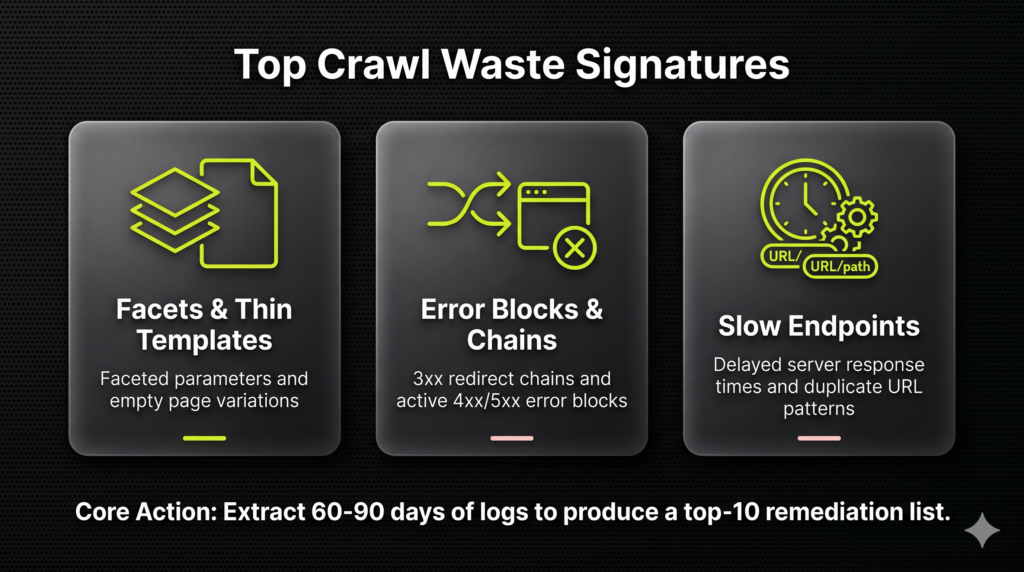
Identify “waste signatures” that consume disproportionate crawl cycles:
- Faceted parameters and thin content templates.
- 3xx redirect chains and 4xx/5xx error blocks.
- Slow endpoints and duplicate URL patterns.
Produce a top-10 list of URL patterns consuming the most crawls. This prioritized list reveals exactly where your budget is squandered, a vital step when projecting long-term cloud migration services enterprise ROI across sprawling infrastructures. Establish this baseline immediately and re-verify monthly to ensure crawl distribution aligns with your organic revenue goals.
2. Establish a Diagnostic Framework Before Optimizing
Avoid wasting weeks on technical tuning when the bottleneck is actually content quality or internal linking. Site size is not the only trigger for optimization. Indexing latency and Google Search Console (GSC) signals provide a clear diagnostic of whether crawl budget limits your growth.
Qualify your site using this checklist:
- Scale: You manage tens of thousands of URLs or generate high volumes of automated URL patterns.
- Latency: Critical pages remain in “Discovered: currently not indexed” for multiple weeks.
- Waste: Server logs show heavy bot activity on low-value utility families or faceted navigation.
Analyze the Crawl Stats report in GSC to identify 5xx error spikes or drops in crawl frequency. Review indexing statuses for priority templates to identify where Google stops. This diagnostic identifies the right lever: capacity, demand, or non-crawl indexing issues. Focus on capacity if crawling is throttled by high latency.
Share this one-line diagnosis internally: “Our issue is a demand deficit caused by weak entity signals, not a technical capacity constraint.” This clarity builds the technical authority that premium remote IT support leads trust when sourcing vendors.
3. Build a Prioritized URL Inventory
Google crawls what it finds, not what you prioritize. Transform your editorial mandate into a tangible URL inventory to dictate sitemap logic and internal link distribution. This artifact ensures technical architecture pushes crawl resources toward revenue-generating assets rather than technical debt.
Categorize every URL into a four-tier crawl priority map:
- Tier 1: Money pages including categories, services, and lead-gen landers.
- Tier 2: Supporting content that earns links and topical authority.
- Tier 3: Necessary UX pages like filters and internal search results.
- Tier 4: Pure waste such as duplicates, parameters, and staging environments.
Tier 1 and 2 must be indexable, canonical, and heavily internally linked. Set Tier 3 to noindex and exclude these from XML sitemaps. Block or remove Tier 4 via robots.txt to reclaim crawl capacity for high-intent URLs.
Verify this mapping by matching tiers against server logs. Success is defined by Tier 1 gaining a larger crawl share over time. This system forces technical architecture to reflect commercial goals.
4. Eliminate Crawl Waste Using Pattern-Level Controls
Googlebot often wastes 80% of its budget on URLs you never intended for search. This waste is self-inflicted, caused by architectures that generate infinite URL combinations. Bots stuck in these loops never reach your deep, revenue-driving inventory.
Common traps that leak crawl budget include:
- Faceted filters and sort parameters creating near-infinite combinations
- Infinite calendars and internal search result pages
- Session IDs, tracking parameters, and duplicate pagination patterns
Stop using manual band-aids. Apply this pattern-level triage framework:
- Robots.txt disallow: Block URL families with zero SEO value.
- Rel=canonical: Consolidate variants into one primary URL.
- Noindex: Use for user-facing pages that should not rank. (Bots must still crawl these to read the tag).
Monitor server logs for a drop in parameter-based hits. In Google Search Console, watch for a decrease in “Discovered/Crawled, currently not indexed” statuses for junk families. This ensures bots spend their limited budget on the canonical URLs driving your organic revenue.
5. Target Non-200 Responses to Reclaim Crawl Budget
Non-200 responses represent crawl budget spend with zero ROI. Every bot hit on a 404 or multi-hop redirect consumes capacity without improving index coverage or entity authority. Treat these as the most expensive form of crawl waste.
Use server logs to isolate these high-impact offenders:
- High-frequency 404s (legacy URLs with external backlinks)
- 301/302 chains exceeding one hop
- Soft 404 patterns (thin pages returning a 200 status)
Fix actions must prioritize pipeline impact. For valuable legacy URLs, 301 redirect to the closest relevant live page. For redirect chains, update internal links to point directly to the destination and collapse redirect rules into a single hop. Return a 410 Gone for garbage patterns or block parameters at the source.
Verify progress in GSC Crawl Stats. Look for a measurable shift in Googlebot spend away from errors and toward Tier 1 revenue pages. This optimization frees resources immediately and improves the crawl health signals required to lift total crawl capacity limits.
6. Optimize Server Reliability to Expand Crawl Capacity
Googlebot throttles crawling when your infrastructure is slow or error-prone to prevent site instability. This creates an invisible ceiling on your crawl capacity, regardless of content quality or site depth. To maximize your crawl budget, you must remove the infrastructure bottleneck so Google can access more pages more frequently.
Capacity is often capped by server behavior, making infrastructure the most significant engineering lever for crawl optimization. Prioritize technical fixes that directly improve capacity:
- Eliminate 5xx spikes and resolve timeouts on overloaded endpoints.
- Lower Time to First Byte (TTFB) through caching strategies, CDN deployment, and database query optimization.
- Ensure consistent, fast responses for critical templates, particularly high-revenue category and product pages.
Measure progress using response time distribution (p95 and p99 metrics) from server logs rather than simple averages. Analyze the GSC Crawl Stats report to track trends in response codes and total request volume. Stable crawling patterns and faster refresh cycles for revenue-critical pages verify success. Efficient servers earn higher crawl limits and faster indexing.
7. Align XML Sitemaps with Your Crawl Priority Map
Google often indexes unwanted URLs because sitemaps feed them directly to crawlers. This creates indexation waste and dilutes domain authority. Your sitemap is not a CMS data dump. It is a curated declaration of your highest-value assets.
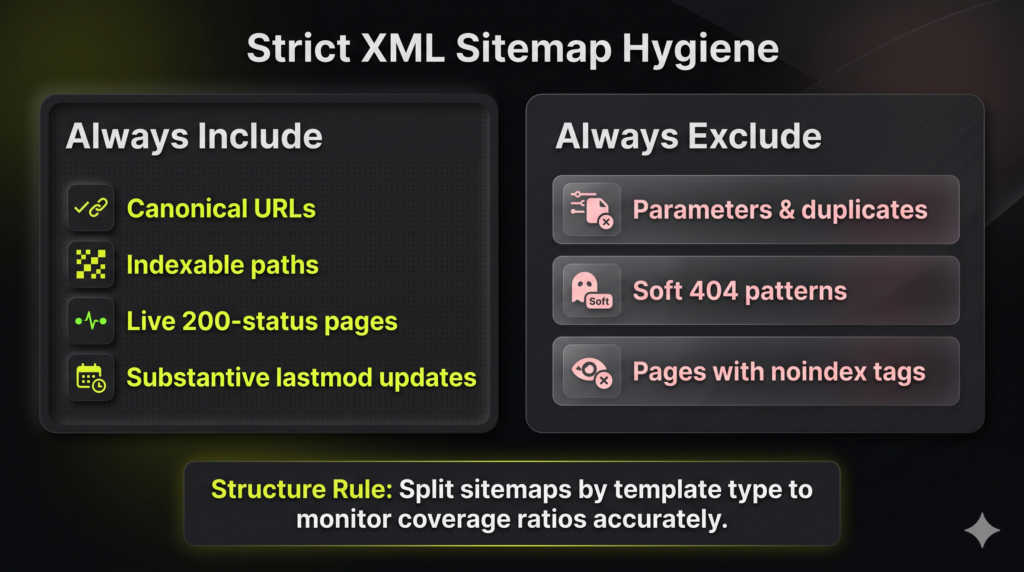
Enforce strict hygiene to reclaim crawl efficiency. Include only canonical, indexable, 200-status URLs. Exclude:
- Parameter and duplicate URLs
- Soft 404s
- Pages with noindex tags
Split sitemaps by template (products, categories, articles) to make monitoring granular. Monthly, diff sitemap URLs against crawl logs and inventory to identify discrepancies that dilute your search signals. Update the lastmod attribute only for substantive content changes. Accurate timestamps prevent sending false priority signals that waste crawl budgets on stagnant pages.
Success is visible in the GSC sitemaps report. You should see a sharp reduction in submitted but not indexed issues. Most importantly, Tier-1 revenue pages will achieve faster discovery, securing your brand’s authority in both Google and AI-search results.
8. Increase Crawl Demand via Strategic Internal Linking
Google ignores profitable pages when perceived importance is low. Internal linking is your primary lever for creating demand. Googlebot allocates resources based on site architecture signals, and shallow architecture tells Google your deep pages are not worth the crawl.
Engineer demand by funneling authority toward Tier-1 revenue pages. This is a core pillar of any crawl budget optimization guide because it dictates site depth priority.
- Link to priority targets from high-traffic and high-authority URLs.
- Reduce click depth by moving core hubs into global navigation.
- Use descriptive, entity-focused anchor text to clarify topical relevance.
Prune indexation waste by consolidating thin or cannibalizing pages into one authoritative canonical page. Use 301s or canonical tags to prevent Google from splitting resources across mediocre variants.
Verify success via server logs and Search Console. Googlebot should hit Tier-1 URLs more frequently, resulting in fewer “Discovered, currently not indexed” statuses. This confirms Google recognizes your priority pages as citation-worthy entities.
9. Optimize JavaScript Rendering for Rapid Discovery
JS-heavy frameworks like React and Next.js burn crawl budgets when Googlebot waits for client-side hydration. These frameworks often hide critical content behind execution delays, forcing crawlers to revisit pages multiple times. This fragmentation multiplies URL variants and creates a discovery bottleneck for revenue-driving entities. Transition to an HTML-first architecture for all priority templates.
Use Server-Side Rendering (SSR) or Static Site Generation (SSG) to ensure links and content reside in the initial HTML response. Avoid generating crawlable URL permutations via client-side filters. Normalize canonical URLs to a single clean version per indexable entity to prevent budget dilution across thin JS route variants.
Verify efficiency by comparing bot hits and response times between static templates and JS-heavy routes in server logs. Validate that internal links to Tier-1 pages are discoverable without user interactions like clicking or scrolling. Faster discovery and a reduction in “crawled but not indexed” statuses confirm your technical architecture is optimized for both Google and AI search engines. This structure ensures your brand is extractable for LLM-generated answers.
To build a technical SEO and Generative Engine Optimization strategy that prioritizes your revenue pages, work with the experts at NUOPTIMA. Visit nuoptima.com or learn more about our GEO services at https://nuoptima.com/generative-engine-optimization-geo-services to secure your brand’s authority in the next generation of search.
Where this fits in your MSP growth system
This is one piece of how NUOPTIMA makes MSPs and cybersecurity firms the provider buyers find on Google and in AI search. See how it connects to MSP SEO and GEO and AI-search, or get your free MSP lead forecast to see exactly where your firm shows up across ChatGPT, Gemini, and Perplexity today.