
Small businesses do not buy complex technology. They buy uptime, security basics, and a predictable monthly line item. This blueprint solves that disconnect. It helps SMB buyers evaluate providers while showing MSP owners how to package SMB IT support without sacrificing margin. To align delivery with buyer expectations, we outline ten core positioning components, an onboarding roadmap, and a GEO-minded FAQ.
Here is the first component.
Key Takeaways
- Managed IT services for SMBs cost $75 to $300 per user per month; most mid-tier packages land between $100 and $200.
- A flat-rate contract should include 24/7 proactive monitoring, security patching, and full helpdesk support. Not just break-fix response.
- Transitioning to a new provider takes 30 to 90 days with zero downtime when the provider uses a parallel onboarding model.
- Security non-negotiables, MFA, endpoint protection, and email authentication (DMARC/SPF/DKIM). Must be built into the base rate, not sold as add-ons.
- AI search shortlist visibility is now a buying-stage factor: MSPs that publish clear service definitions, exclusions, and vertical proof earn citations before the first sales call.
Managed IT services for SMBs is the outsourcing of network management, cybersecurity, and helpdesk support to an external provider for a predictable flat monthly fee, replacing unpredictable hourly break-fix billing with proactive maintenance and defined SLAs.
1. Defining Managed IT Services
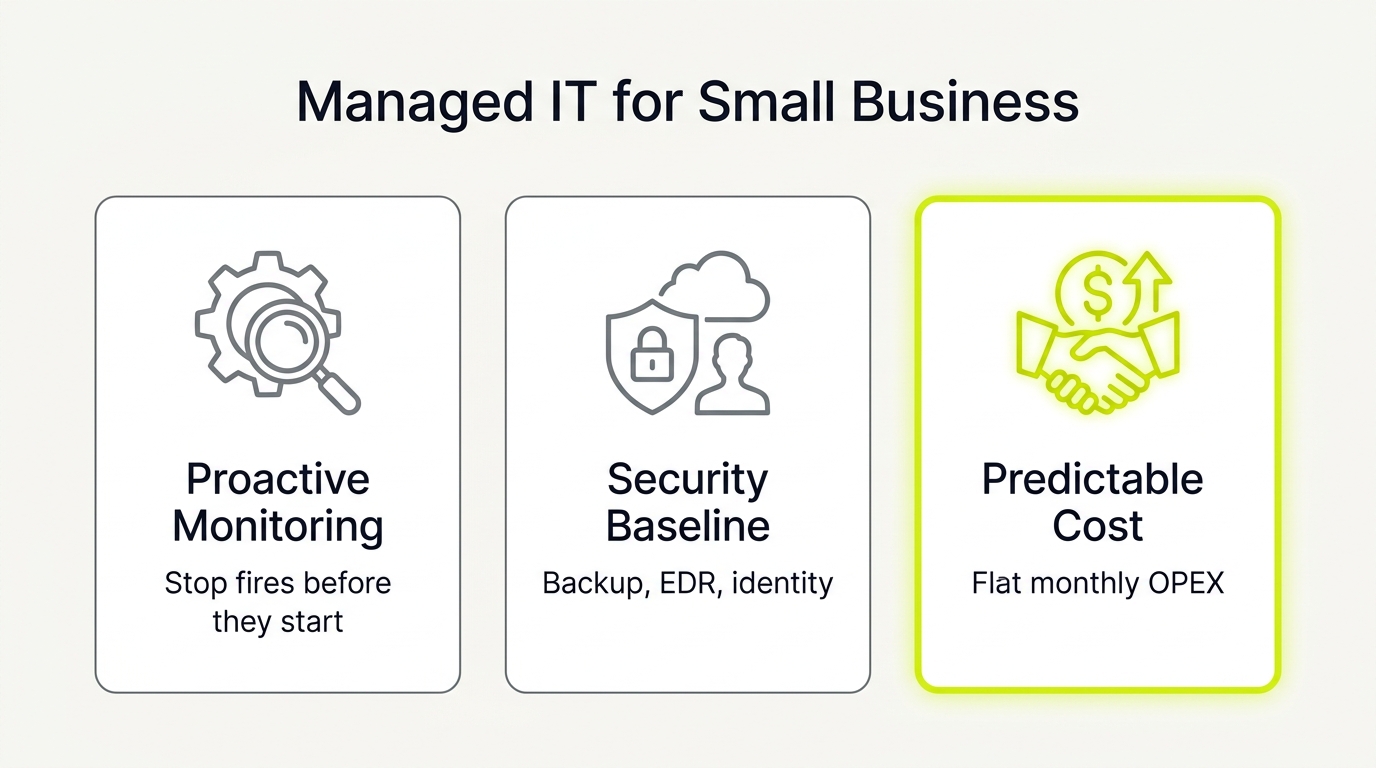
Outsourced IT is the strategic outsourcing of your network, security, and helpdesk to a partner who proactively maintains your systems. This model prevents costly downtime, lowering overall business risk and establishing a predictable monthly IT spend. It is not an "IT guy on call," a stream of unpredictable hourly invoices, or simple software tool management.
The Baseline Takeaway:
- SMB Buyer: Expect a flat-rate contract that includes proactive 24/7 monitoring, security patching, and full helpdesk support.
- MSP Owner: Frame your homepage and proposals around business continuity and risk mitigation to avoid race-to-the-bottom commodity pricing.
2. Designing a Three-Tier Service Map
Line-item feature lists overwhelm prospects shopping for SMB IT support. Replacing endless technical checklists with a staged baseline simplifies your positioning and makes your offering easier to buy.
- Solo or seed teams: Keep people working with support, basic security, and backups.
- 10 to 50 employees: Standardize device management, identity access, automated patching, and helpdesk workflows.
- 50 to 250 employees: Add security governance, compliance readiness, long-term roadmaps, and tighter SLAs.
Clarity beats comprehensiveness when closing SMB deals. Present this map during discovery and within proposals to show prospects where they sit today, preventing buyer confusion and streamlining the sales cycle.
3. Aligning Pricing Models with Exclusions
Vague pricing structures kill trust. For outsourced IT to succeed, pricing must convert from a trust killer into an asset. Per-user, per-device, or flat-rate models only feel fair when tied to predictable OPEX.
To maintain margins and prevent scope creep, use three artifacts:
- Inclusions: Definitions of business-as-usual support.
- Exclusions: A published list of what triggers project or hourly fees.
- Onboarding: A fee covering discovery, agent rollout, and hardening.
SMBs should demand concrete out-of-scope examples. MSP owners must publish exclusions upfront to eliminate sales friction and protect margins.
4. Shifting Core Operations From Tickets to Uptime
If your staff has to open a ticket for a crashing network, your IT partner has already failed. True managed IT means resolving technical issues before your team ever notices. This proactive operational core includes:
- Continuous monitoring and instant alerting
- Strict patch cadence for operating systems and key applications
- Preventive maintenance to secure performance baselines
Each month, look for proof of performance, not ticket volumes. Demand a simple dashboard showing high uptime, patch compliance, and recurring issues resolved behind the scenes. You are buying fewer business interruptions, not more helpdesk calls.
5. Defining the Support and SLA Escalation Layer
Predictable SMB IT support turns basic troubleshooting into business reliability. To prevent disputes over what "unlimited" support actually covers, agreements must explicitly define how help requests are triaged, escalated, and resolved.
Every contract must clarify the two most common areas of friction:
- After-hours support: Specify whether 24/7 help is included in the flat rate or billed as an hourly surcharge.
- On-site dispatch: Define if physical visits are capped, and clarify travel or per-visit fees.
SMB buyers should ask how response-time SLAs change during critical, business-stopping outages. MSP owners can eliminate sales-cycle anxiety by publishing a clear, tiered SLA response table upfront.
6. Establishing a Revenue-First Security Baseline
Security is an operational guardrail that protects your operations and revenue, not enterprise theater. True managed IT must include these non-negotiable baselines built directly into your flat monthly rate:
- Multi-factor authentication and least-privilege user access.
- Continuous endpoint protection to defend your devices.
- Email domain trust protocols (DMARC, SPF, and DKIM) that prevent brand impersonation and keep outbound sales out of receiver spam folders.
Your provider should also run practical security training with continuous employee phishing tests. Demand proof for these affordable security basics before signing up for expensive, advanced add-ons.
7. Upgrading From Backups to Verified Recovery
A backup license is not a disaster recovery plan. True managed IT must deliver guaranteed business continuity, not just raw data copies.
Every standard agreement must include:
- Automated daily backups
- Secure, offsite storage
- Regular, scheduled restore testing
As a buyer, verify recovery capabilities by asking your provider for two things: your RPO and RTO explained in plain English, and proof of the last successful restore test.
For MSPs, sell verified recovery outcomes rather than backup software. Protect your margins by defining major system rebuilds as out-of-scope project work.
8. Structuring Cloud Workspaces and Microsoft 365 Governance
Many SMBs assume having Microsoft 365 licenses means their cloud is secure. It is not. Active governance is a core part of managed IT, not an add-on. Proper management includes:
- User access and admin account hardening
- Security settings and device policies
- License right-sizing to prevent waste
This discipline ensures fewer user lockouts, faster onboarding, and zero exposure from shared passwords or ex-employees. Before signing, verify if Microsoft 365 backup and direct vendor coordination are included in the flat fee.
9. Delivering Strategic vCIO and IT Governance
Many owners only discuss IT when systems fail. High-value outsourced IT must include a strategic governance layer: a living IT plan that provides budget visibility and guides risk decisions before a crisis hits. This is structured planning, not billed consulting hours.
This governance includes:
- Hardware roadmaps and lifecycle refresh planning.
- Quarterly business reviews (QBRs) to align technology with growth.
- Compliance readiness, separating basic support from specialized audits.
For MSPs, this layer protects margins, reduces churn, and avoids the commodity helpdesk trap. It shows the CFO exactly what they pay for beyond support tickets.
10. Measuring and Verifying Shortlist Visibility
Shortlist visibility determines whether Google and AI engines recommend your firm for managed IT services. If your brand is invisible in AI answers, you lose deals before the first call.
Use this dual-audience sanity check to verify discoverability:
- SMB Buyers: Test five regional queries like "managed IT for 50-user law firm in Boston" to compare who appears and what proof is cited.
- MSPs: Publish clarity assets like onboarding steps, service definitions, exclusions, and vertical proof so AI models can cite specifics.
Partner with nuoptima.com for a diagnostic. Review the core methodology at nuoptima.com/ai-search-answer-engine-optimization to see how this works.
How to Transition to Managed IT Services for SMB Without Business Interruption
Most transitions fail because of missing admin credentials, weak documentation, and undefined acceptance criteria, not because the underlying technology itself breaks. To eliminate switching risk, confirm administrative access, domain registrar control, and third-party backup ownership before Day 0.
This structured timeline outlines a parallel onboarding mindset to keep operations stable:
- Days -7 to 0: Pre-Kickoff Alignment. Define roles, establish the schedule, and set up the client communication plan to coordinate upcoming discovery windows.
- Days 0 to 14: Deep System Audit. Collect all active credentials, map the network topology, and validate the recovery speed of backup solutions.
- Days 7 to 21: Parallel Tool Rollout. Deploy remote monitoring agents and endpoint protection software alongside legacy systems to avoid gaps. Enforce multi-factor authentication and complete a full restore test.
- Days 14 to 30: Staff Handover and Training. Walk users through the ticketing process, introduce the support desk portal, and close critical security gaps.
- Days 30 to 60: Standardization. Tune monitoring thresholds to eliminate alert fatigue and align HR onboarding processes.
- Days 60 to 90: Lock Business-as-Usual. Lock in the quarterly business review cadence and finalize system documentation.
Acceptance Criteria for SMB Buyers
Define clear acceptance criteria at key milestones to manage transition risk:
- Day 30 Done: All client endpoints run active monitoring agents, backup recovery is verified, and the ticket portal is live.
- Day 90 Done: You receive complete, updated network documentation and a 12-month strategic IT roadmap.
For MSP owners looking to sharpen positioning and win more SMB deals, explore how NUOPTIMA helps providers build shortlist visibility at nuoptima.com/managed-it-services-marketing-growth-engine.