
An MSP website template gets you live quickly, but it does not create pipeline. Unless you fix messaging, proof, and crawlability, your site remains invisible to AI and Google.
Written for referral-led owners rebuilding fast, this guide covers real template options. Builders, CMS platforms, and MSP-specific vendors. Plus the conversion and crawlability checklist required for AI citation.
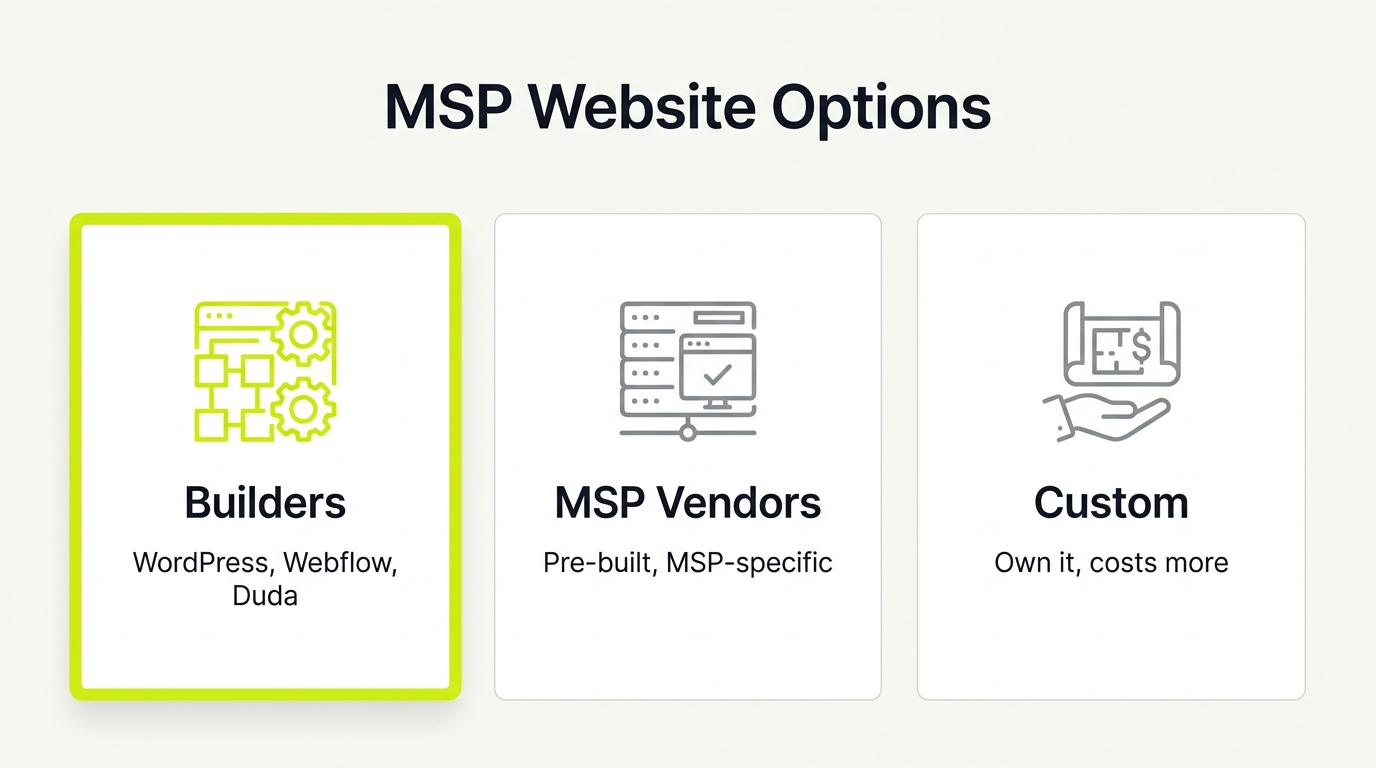
Short answer: your main options
General builders/CMS with themes:
- WordPress + MSP-focused themes (Astra, GeneratePress, Blocksy). Best for full ownership, plugin flexibility, and lowest platform lock-in; requires ongoing maintenance.
- Webflow. Best for fast deployment, clean code, and precise design control without security update overhead; hosted, so you don't own the infrastructure.
- Duda. Best for agencies managing multiple client sites; white-label friendly, but limited plugin depth.
- Squarespace. Best for solo operators who need a presentable site fast; limited CMS flexibility for scaling to many service pages.
MSP-specific template and done-for-you providers:
- Tech Pro Marketing. Pre-built MSP sites with managed hosting and monthly content; best for operators who want hands-off maintenance, trading customisation for convenience.
- Pronto Marketing. Managed WordPress for MSPs with content writing included; strong if you want a vendor-managed site but accept slower iteration.
- Ulistic, MSP-niche branding and web packages; best for mature MSPs wanting a full rebrand, not just a template swap.
Trade-off to know: MSP-specific vendors reduce your maintenance burden but often limit how much you can customise landing pages and case study layouts. General builders give full control but require someone to maintain them.
Start with the platform decision, then choose a template that supports proof and CTAs.
Key Takeaways
- An MSP website template gets you live fast but will not generate pipeline unless messaging, proof, and crawlability are fixed.
- WordPress gives maximum ownership and plugin flexibility; Webflow gives hosted speed and clean code without security update overhead.
- MSP-specific vendors (Tech Pro Marketing, Pronto, Ulistic) reduce maintenance burden but often limit landing page and case study customisation.
- Every MSP site must launch with individual service pages, a proof/case studies page, an About page, and a Contact page on day one.
- AI search shortlist visibility depends on structured service and location pages that machine crawlers can map. Not just a visually clean template.
An MSP website template is a pre-built site layout designed for managed service providers that provides the page structure, navigation, and visual framework needed to launch quickly, but requires customised messaging, client proof, and crawlable page architecture to convert visitors and earn AI search citations.
1. Webflow IT Templates: Speed Without WordPress Bloat
Webflow offers a fast, modern path to a custom site without the security and update burdens of WordPress. The platform features a dedicated category of IT service provider templates explicitly positioned for MSPs, allowing you to quickly adapt copy for regional or vertical offers.
When selecting a Webflow template for your MSP site, ignore flashy animations. Prioritize a clean multi-page structure, built-in CMS collections for case studies, structured service detail pages, and high-contrast CTA placements.
The trade-off is integration depth. As a hosted platform, Webflow lacks the deep MSP-specific plugin ecosystem of WordPress. However, you gain absolute layout control and clean code that Google and AI search engines can easily crawl to score your visibility.
2. Lightweight WordPress Foundations: Flexibility Without the Bloat
A slow website signals poor technical competence. Bloated, multipurpose templates kill page speed, destroying credibility before a buyer reads your value proposition. Fast sites feel trustworthy and convert better.
If you want broad flexibility, a rich plugin ecosystem, and an easy handoff to a small team, a lightweight WordPress framework is your best default. Use these clean foundations as a blank canvas:
- Astra
- GeneratePress
- Blocksy
- Hello Elementor
Before committing, verify the template supports:
- Global header and footer editing
- Native blog/CMS layouts and schema compatibility
- Starter layouts with built-in service pages and proof sections
Your template choice matters less than clean page structure, crawlability, and visible client proof.
3. Elementor Templates: Fast to Deploy but Demanding of Discipline
Elementor is the fastest way to launch a template-based MSP site. Choose this path if you need a rapid rebuild and want drag-and-drop editing with a massive ecosystem.
Ensure your selected kit includes:
- Service and landing page layouts
- Testimonials and case studies
- A clear CTA hierarchy
To avoid a generic look, replace stock hero copy with who you serve, what you do, and why you differ. Show your product early. Embed a short video or screenshots of your actual client portal so buyers see how you work before booking a call.
To keep performance stable, minimize third-party add-ons. Limiting plugins prevents front-end bloat, protecting the page speed needed for Google and AI search visibility.
4. Bricks Builder: Clean Code for AI-Ready MSP Sites
Bricks fits MSPs with some technical capacity who prioritize raw performance and clean markup over a massive pre-made template ecosystem.
Because Bricks functions as both the theme and the builder, it eliminates the layered software complexity that bloats traditional WordPress setups. This clean architecture protects your site from a common trap: launching a beautiful new design that accidentally tanks your speed, Google rankings, and AI parsing.
Before committing to this builder approach, validate that your team can build repeatable, dynamic layouts without custom code for:
- Service and offer pages
- Vertical industry landing pages
- Client case studies
Your template is only the foundation. Logical page structure and clean crawlability are what ultimately earn citations in AI search.
5. Cybersecurity-First Framer Templates: Closing the MSSP Transition Gap
If you sell managed security or compliance but your site looks like generic IT support, high-margin buyers will pass you by. Choosing a security-forward Framer template repositions your brand without a custom design cycle.
Start with this layout and adapt it to your core offers: managed IT, co-managed, and security. Prioritize customizing proof blocks to ground the design in business outcomes:
- Compliance credentials and case studies
- Verified, real-world incident response times
- Low-friction CTAs, like "Watch a 2-minute walkthrough," before "Book a call"
Finally, ensure you can still publish structured service and location pages. This structure keeps your site easy for Google and AI engines to crawl, protecting local search visibility.
6. MSP-Specific Template Vendors: Operational Ease vs. Pipeline Reality
Maintaining a website is rarely a priority for busy MSP operators. If your primary goal is keeping engineers focused on delivery while outsourcing copy prompts and site maintenance, specialized MSP website vendors make operational sense.
The table below compares the main MSP website build options by use case and maintenance commitment.
| Option | Best for | Maintenance |
|---|---|---|
| WordPress + MSP theme (Astra, GeneratePress, Blocksy) | Full ownership, plugin flexibility, largest ecosystem | Owner manages hosting, updates, and plugins |
| Webflow | Fast deployment, clean code, no security update overhead | Platform-hosted; no server management, limited plugins |
| Duda | Agencies managing multiple client sites; white-label builds | Platform-hosted; limited depth for custom landing pages |
| MSP-specific vendors (Tech Pro Marketing, Pronto, Ulistic) | Operators who want hands-off maintenance and managed content | Vendor-managed; slower iteration, less customisation control |
However, convenience cannot compromise pipeline. Before buying, ensure you are not locked into a static brochure site. You need the ability to:
- Edit individual service pages
- Build custom case study layouts
- Spin up targeted vertical landing pages
Your template must also include intuitive navigation, mobile responsiveness, and prominent CTAs. If you want an objective perspective on whether your site will actually convert and earn AI citations, visit nuoptima.com for a diagnostic next step.
For a deeper look at what separates converting MSP sites from brochure sites, see our guide on how to build an MSP marketing website and review the best MSP marketing agencies if you want outside help executing the build.
Free vs. Paid MSP Website Templates: Which to Pick
Free templates are fine for the shell, but the pipeline lives in what you customize on top. A free Astra or Hello Elementor starter and a paid theme both render the same hero on launch day. The difference shows up over the next two quarters, in support, update cadence, and how far the layout bends when you add a fourth service page or a vertical landing page.
Use this rule of thumb before you spend anything:
- Pick free when: you or a contractor can maintain WordPress, you want zero platform lock-in, and you are comfortable assembling service, proof, and CTA sections yourself. Astra and GeneratePress ship free tiers that clear the crawlability bar.
- Pick paid when: you need pre-built MSP service and case-study layouts, priority support, and regular security patches without owning the maintenance. A paid Webflow or Framer template, or a Bricks license, buys speed to launch and cleaner markup.
- Pick a done-for-you vendor when: you would rather keep engineers on delivery than touch a CMS at all. Tech Pro Marketing, Pronto, and Ulistic trade customization control for hands-off upkeep.
The trap in 2026 is treating a free download as free. A cheap template that cannot spin up dedicated service and location pages costs you AI-search shortlist visibility later, which is far more expensive than a theme license. Price the template on what it lets you publish, not the sticker at checkout. Whatever you choose, the layout only earns citations once it carries real proof and a clean, crawlable page structure.
7. Reverse-Engineering the Best MSP Websites
An MSP website template is useless without conversion and clean crawlability. Stop debating design in isolation; reverse-engineer the best MSP websites to build immediate buyer trust. Top competitors succeed by displaying explicit value propositions and trust signals rather than generic service lists.
Copy their above-the-fold clarity, vertical focus, and logical visitor journey. Apply this four-part teardown to your template structure:
1. The Hero: Headline stating who you serve and the business outcome.
2. Immediate Proof: Testimonials or compliance badges directly beneath the hero.
3. Plain-Language Services: Group offers in plain English, avoiding technical jargon.
4. Repetitive CTA: One primary call-to-action repeated throughout the page.
Pick three reference sites, map their homepage blocks, and rebuild your template sections to match their conversion logic.
How to Build an AI-Crawlable MSP Website Template
A standard site template puts pixels on a screen, but shortlist visibility in AI search engines depends on AI-crawlability. This means structuring your site so machine crawlers can easily map your entities, services, locations, and proof.
Step 1: Establish Your Minimum Core Structure
Configure your platform-agnostic site structure to support direct indexing:
- Build one page per core offer: Create dedicated pages for Managed IT, Co-managed IT, and Cybersecurity or Managed Security using consistent heading hierarchies.
- Publish targeted vertical and location pages: Launch one page per industry niche and one per physical location, provided you can maintain the content.
- Consolidate proof: Feature case studies, client testimonials, certifications, and partner badges. State who you serve on your "About" page.
Step 2: Enforce Clarity and Technical Basics
Enforce clean layouts and code to help both human buyers and search parsers:
- Verify above-the-fold elements: State who you serve, the operational outcomes you drive, and your geographic service areas.
- Establish CTA hierarchy: Use one primary CTA for ready buyers and one secondary CTA for research-mode prospects.
- Clean your technical setup: Keep all title tags and meta descriptions editable, use clean internal linking, and avoid hidden content that only loads after heavy scripts.
When launching your marketing website, run these steps against our design checklist to prevent rendering issues. To master AI visibility, study our generative engine optimization guide.
Visit nuoptima.com to request a website and AI crawlability audit. We map every gap between your current template and what AI search engines need to put you on the shortlist.